For Professional Pyrotechnicians
Choreograph the show.
Let QBurner keep every beat.
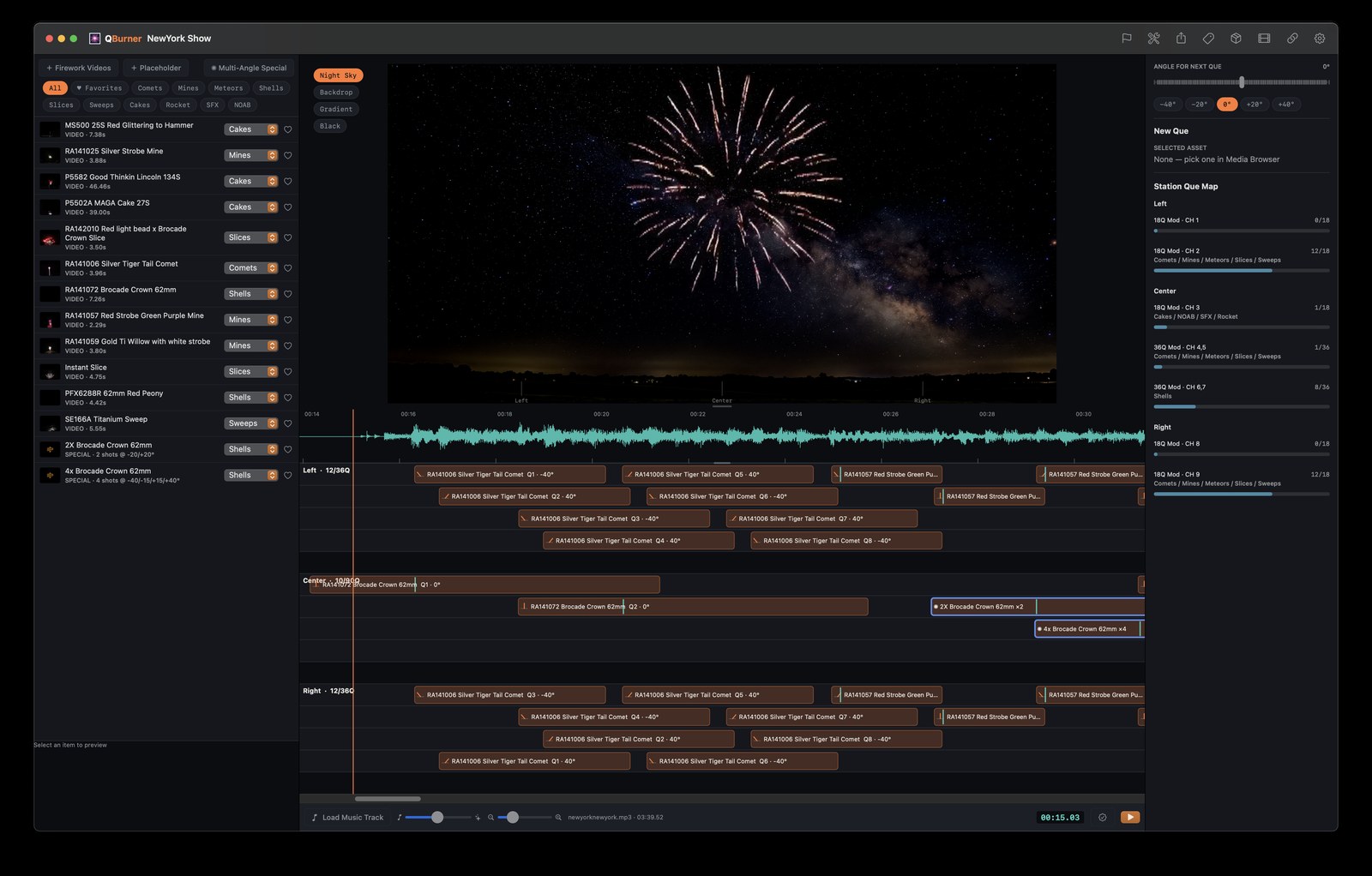
Build synchronized pyrotechnic-musical shows on a real timeline — precise timing, multi-station wiring, and a live preview that actually looks like your show, before a single shell ever fires.
Who This Is For
Built for the Backyard Professional.
QBurner is for the person choreographing a real, full pyromusical — with real precision and real craft — but not running it as a business. You shouldn't need a business's software budget to do it right.
Why It Looks Right
Built around real video of real fireworks — not a simulation.
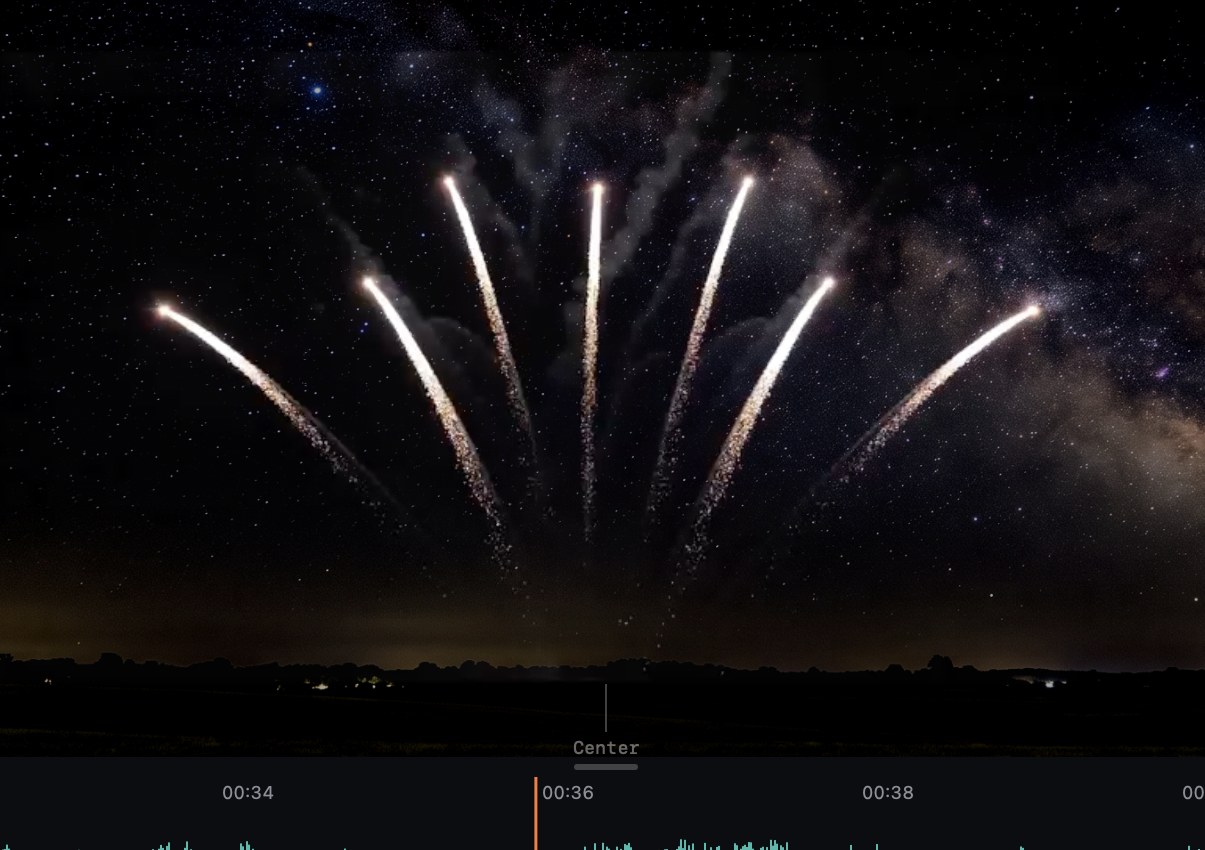
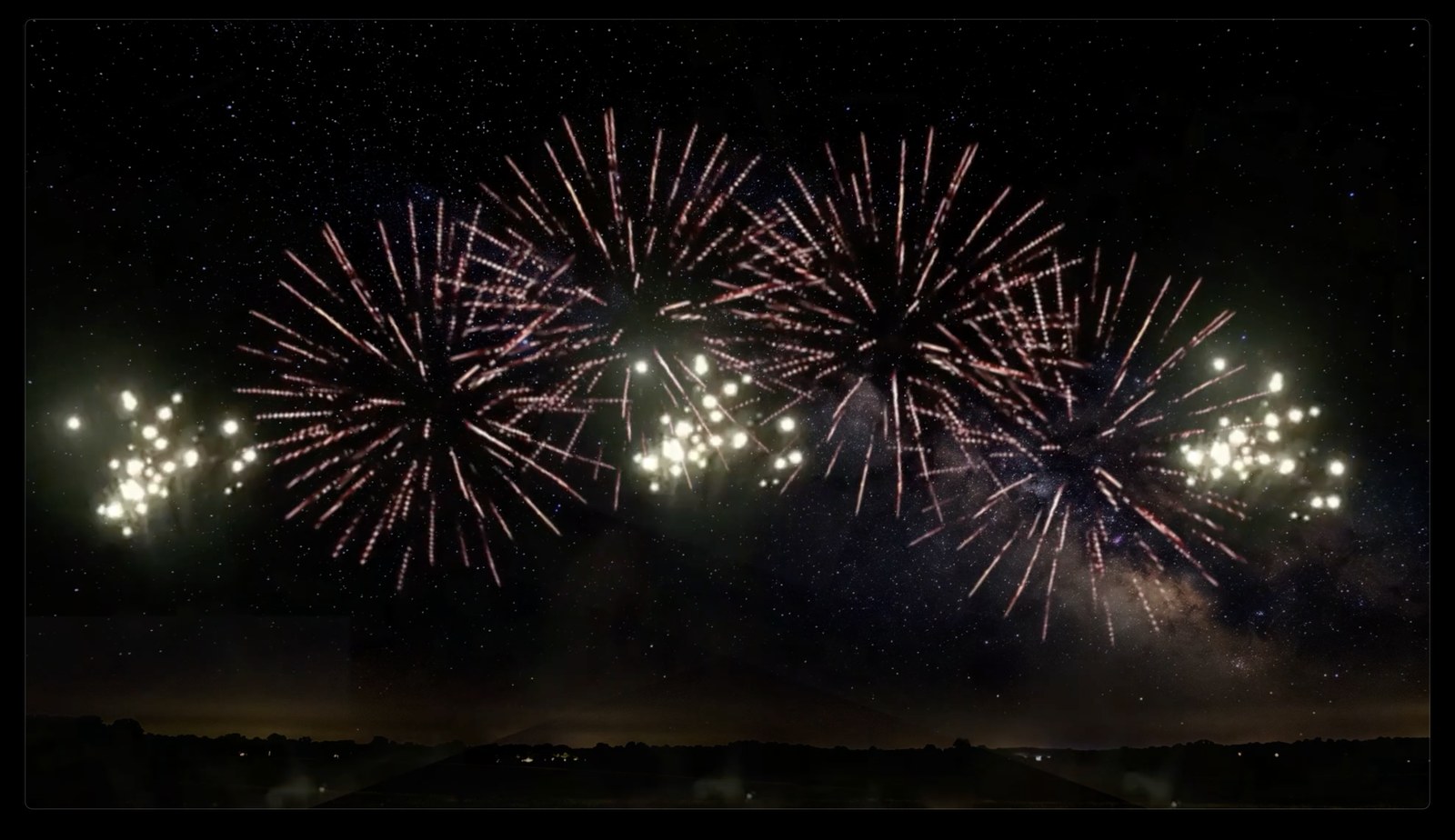
Plenty of show-design tools preview your choreography as generic 3D bursts or stock animation. QBurner doesn't. Every effect in your library is actual footage of the actual product you're shooting — the real color, the real burst pattern, the real timing from ignition to fade.
What you see in the Main Viewer isn't an approximation of your show. It's the closest thing to actually seeing it, before a single shell goes in the ground — which means better choreography, not just prettier planning.
Firework Libraries
Start shooting immediately. Expand exactly how you want.
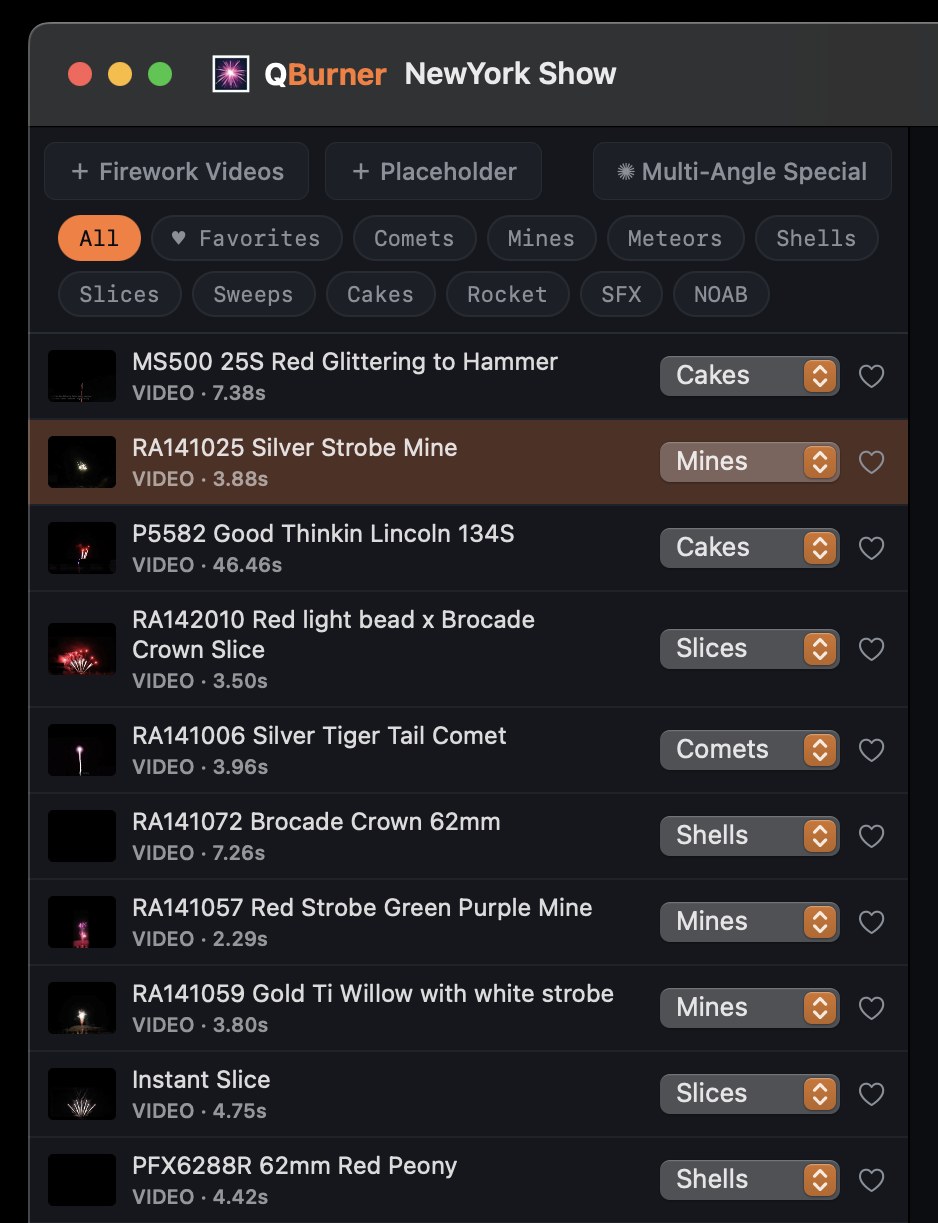
QBurner ships with a starter library so you can block out a real show the moment you install it — no waiting, no empty Media Browser. Full brand libraries are available as affordable add-ons, purchased once and owned outright, same as the app itself — so you only ever pay for the fireworks you actually shoot.
Included, Right Out of the Box
Available as Add-On Libraries
The Timeline
Every station. Every cue. Exactly on the beat.
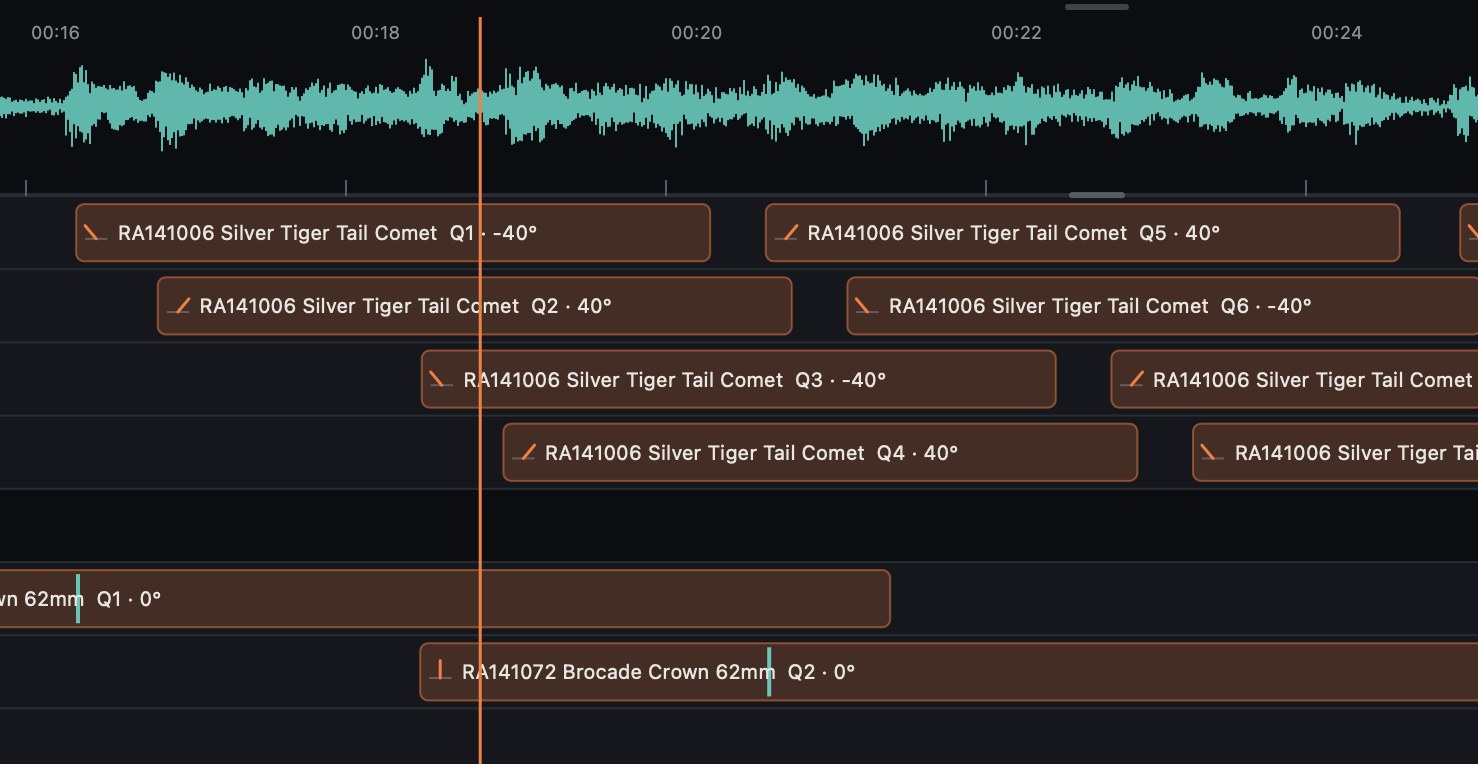
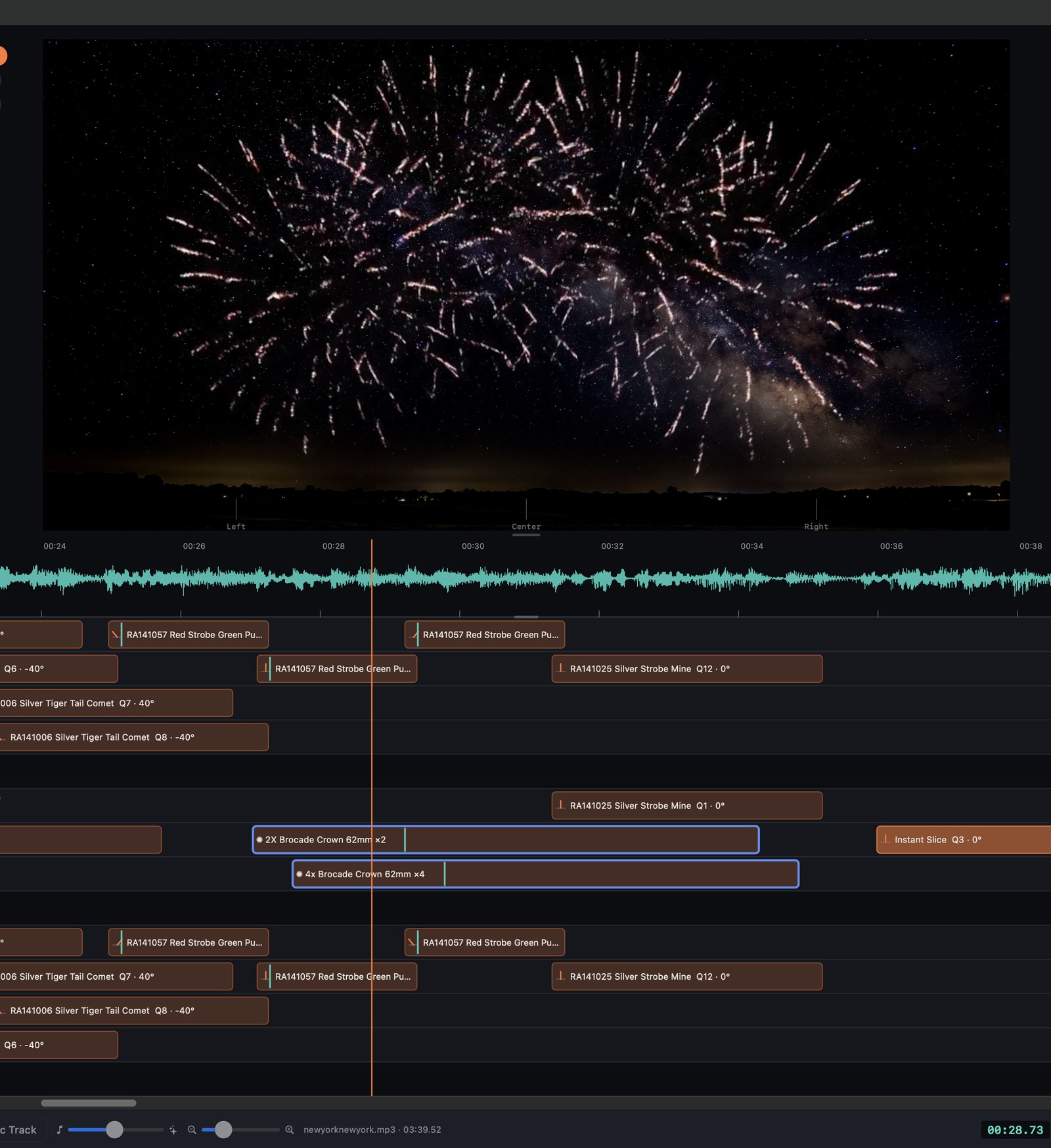
Select a firework, park the playhead exactly where you want it to fire, and press one key to place it — locked to the beat, not to wherever your mouse happened to land. QBurner keeps overlapping cues from colliding, resolves layers automatically, and zooms in and out around wherever you're actually working, so you never lose your spot.
- One row per station, drag to move or retime instantly
- Automatic layer collision handling — nothing silently overlaps
- Zoom that follows your playhead, not the other way around
Multi-Angle Specials
Fire one shell from three angles. Move it like it's one thing.
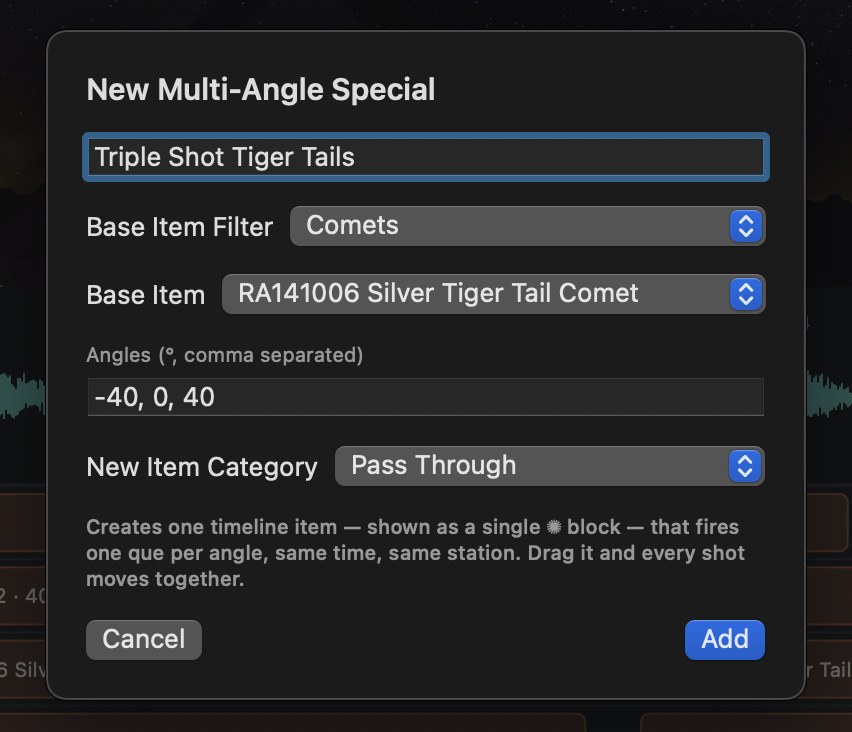
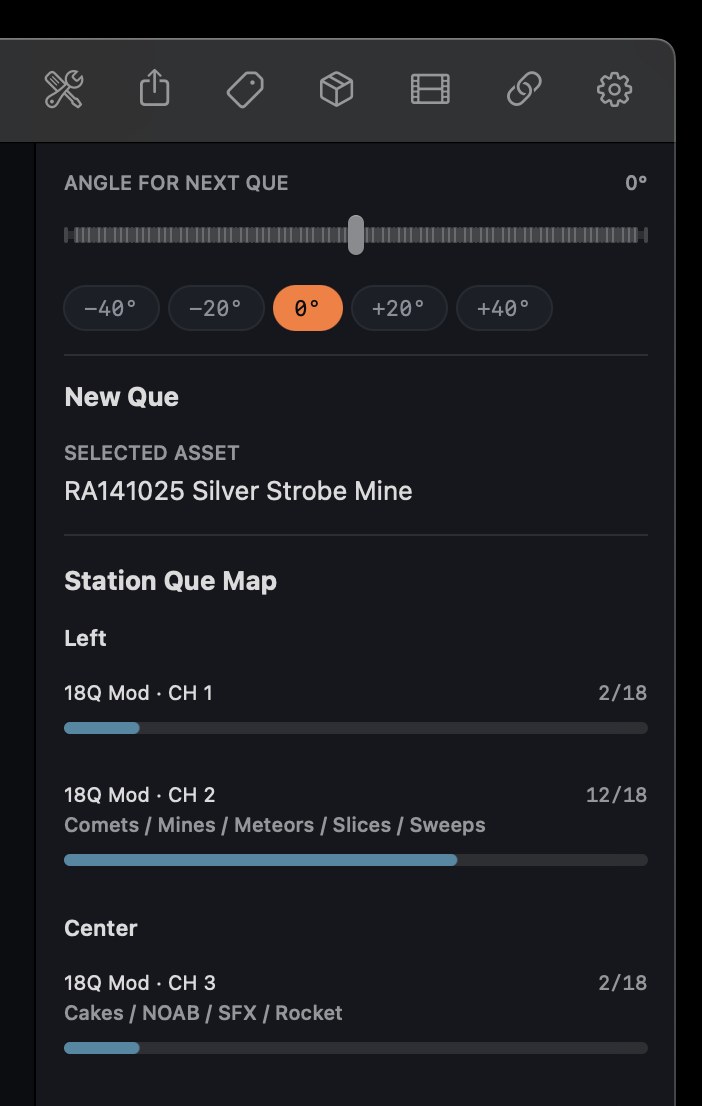
Pick a base shell, set your angles, and QBurner builds one timeline block that fires every angle together — same time, same station. Drag it once and the whole special moves together. No more hunting down three separate cues every time you need to retime a moment.
- One block on the timeline, however many angles are inside it
- Base Item Filter narrows a big library down fast
- New items can pass through the base shell's own category automatically
Placeholders
Block out the whole show before a single video's ready.
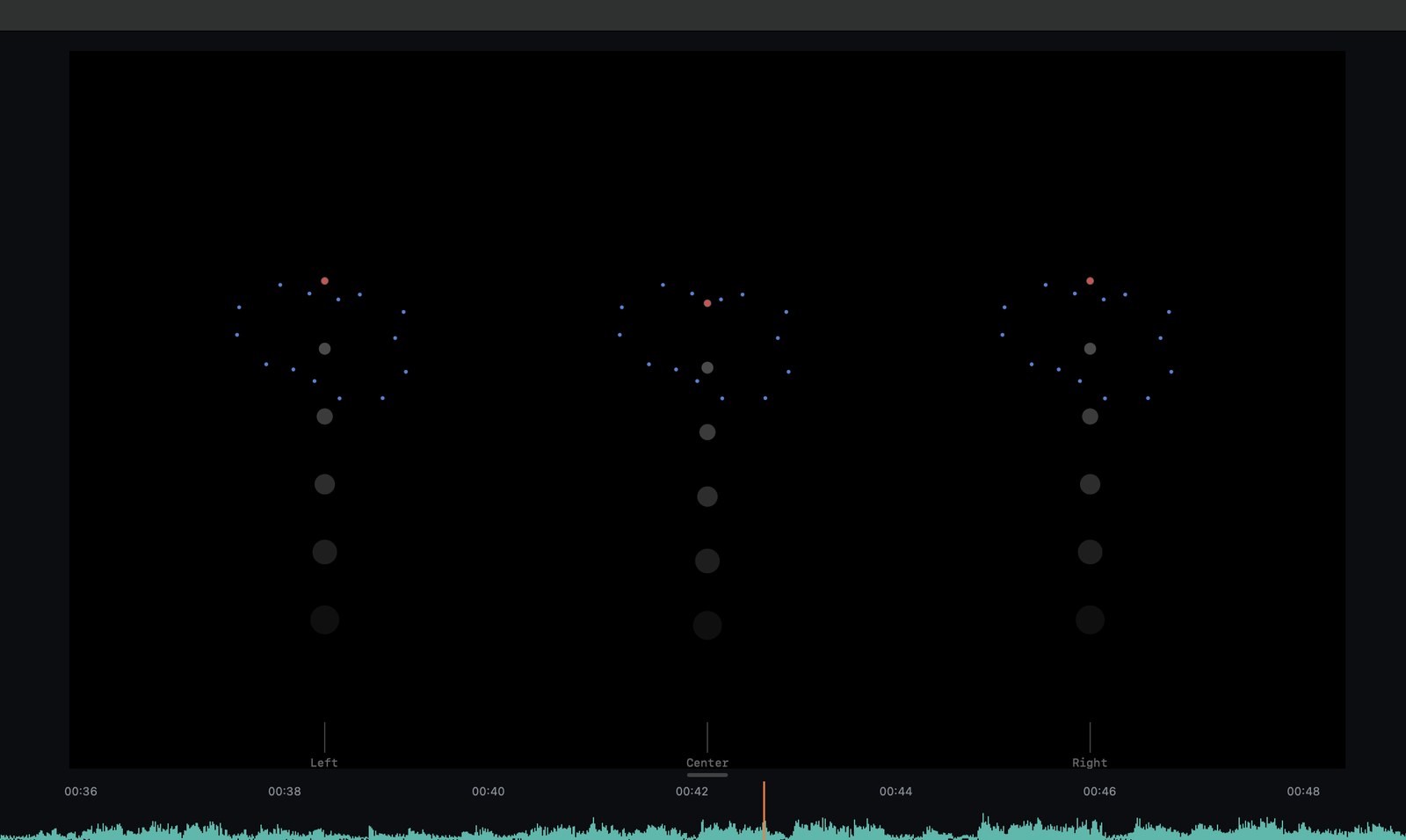
Don't have footage yet? Drop in a placeholder and keep working. QBurner doesn't just show a generic dot — every effect category gets its own procedural animation, each one built by actually studying real reference footage: a Shell's radiating burst, a Slice's fanned comet trails, a Mine's flickering thrown cluster, a Cake's repeating shots, and more. Swap in real video later without rebuilding a thing.
Timing You Can Trust
Built around how sound and fire actually travel.
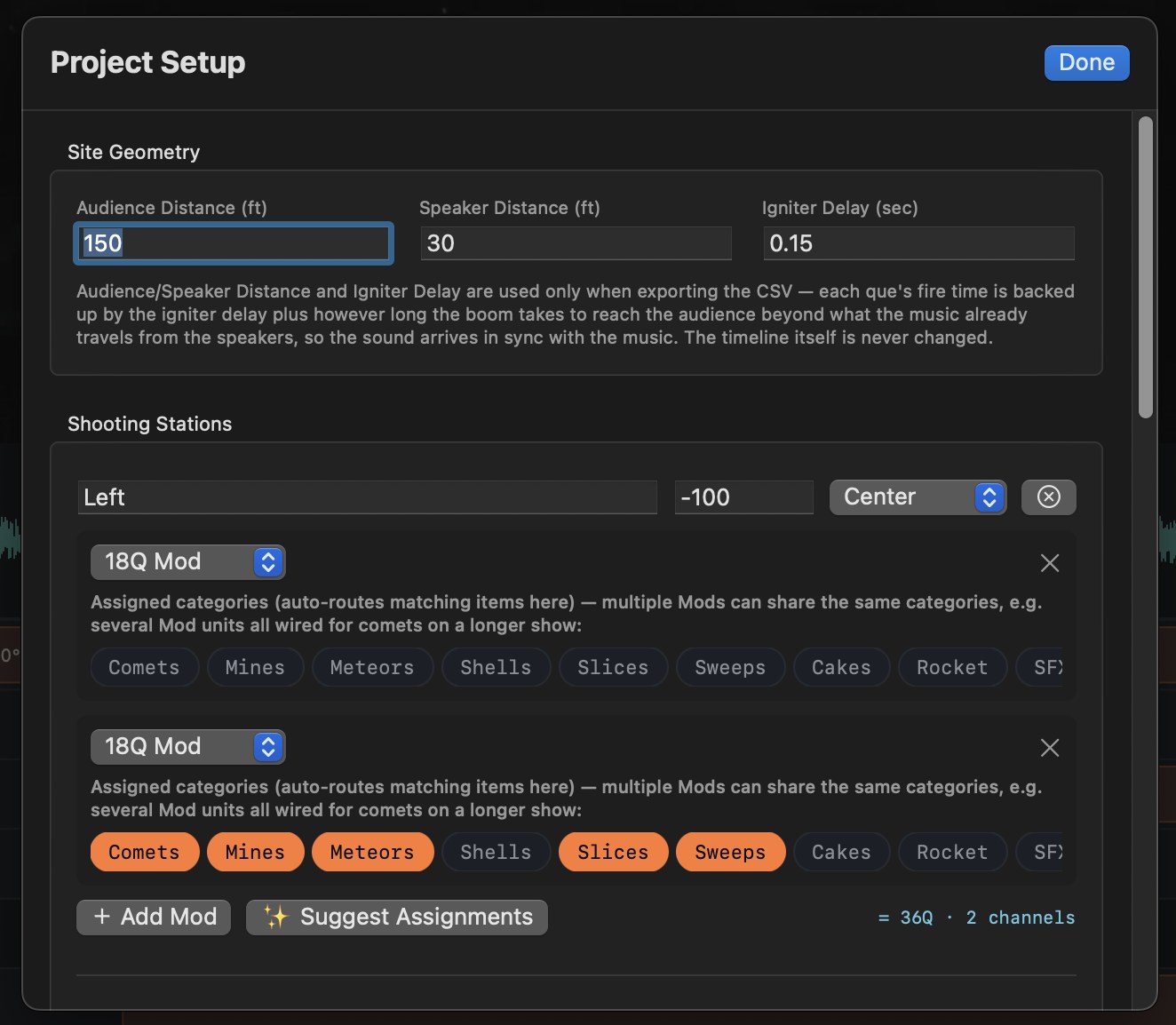
Set your igniter delay, audience distance, and speaker distance once in Project Setup, and QBurner accounts for the real-world lag between a shell's burst and when your audience actually hears it — so the show is timed to look right from where people are standing, not just from the firing line.
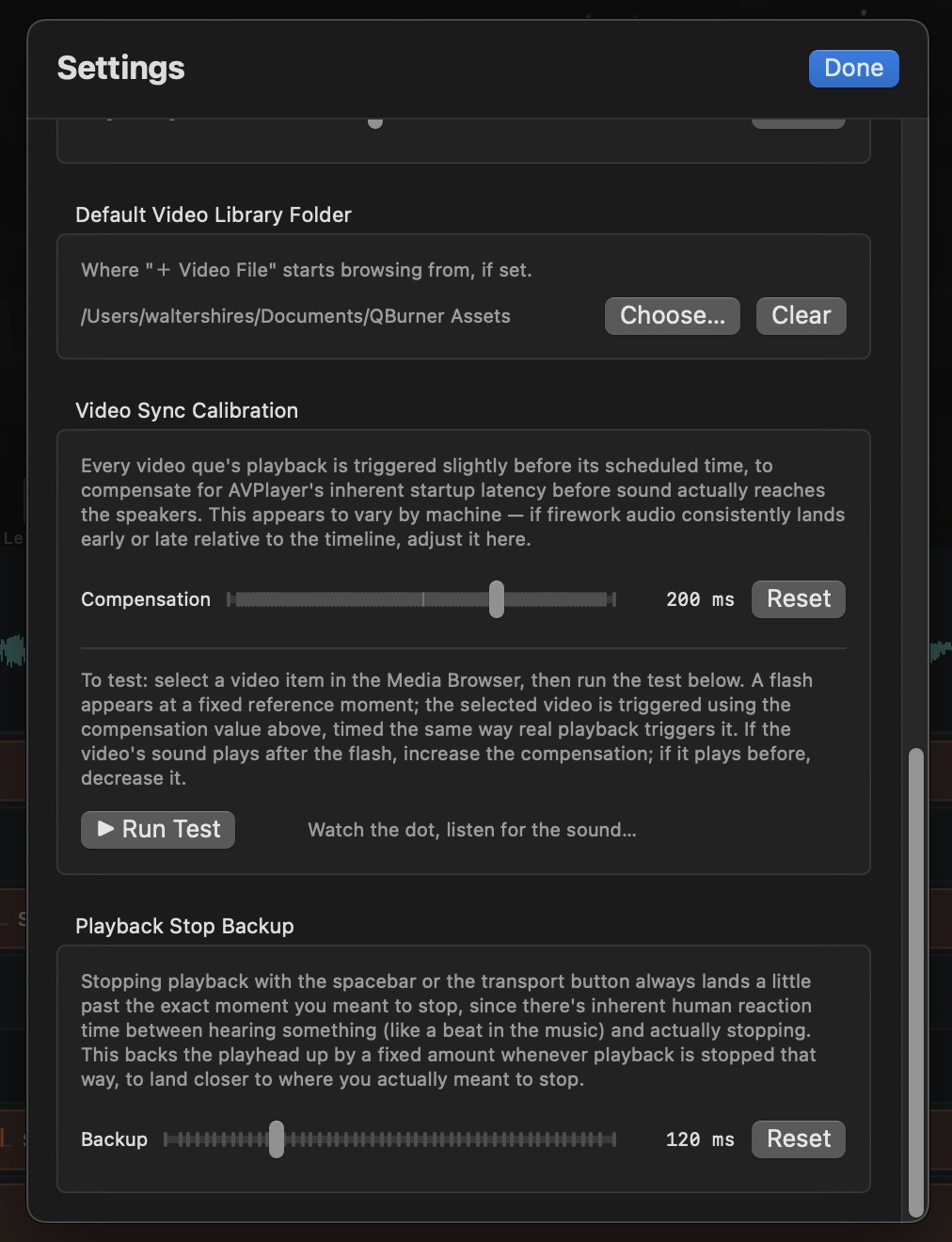
Video sync calibration keeps playback lined up too, compensating for playback startup latency so what you see and hear in the live preview matches what audiences will actually experience.
From Timeline to Load-In
Preview it. Export it. Print the paperwork.
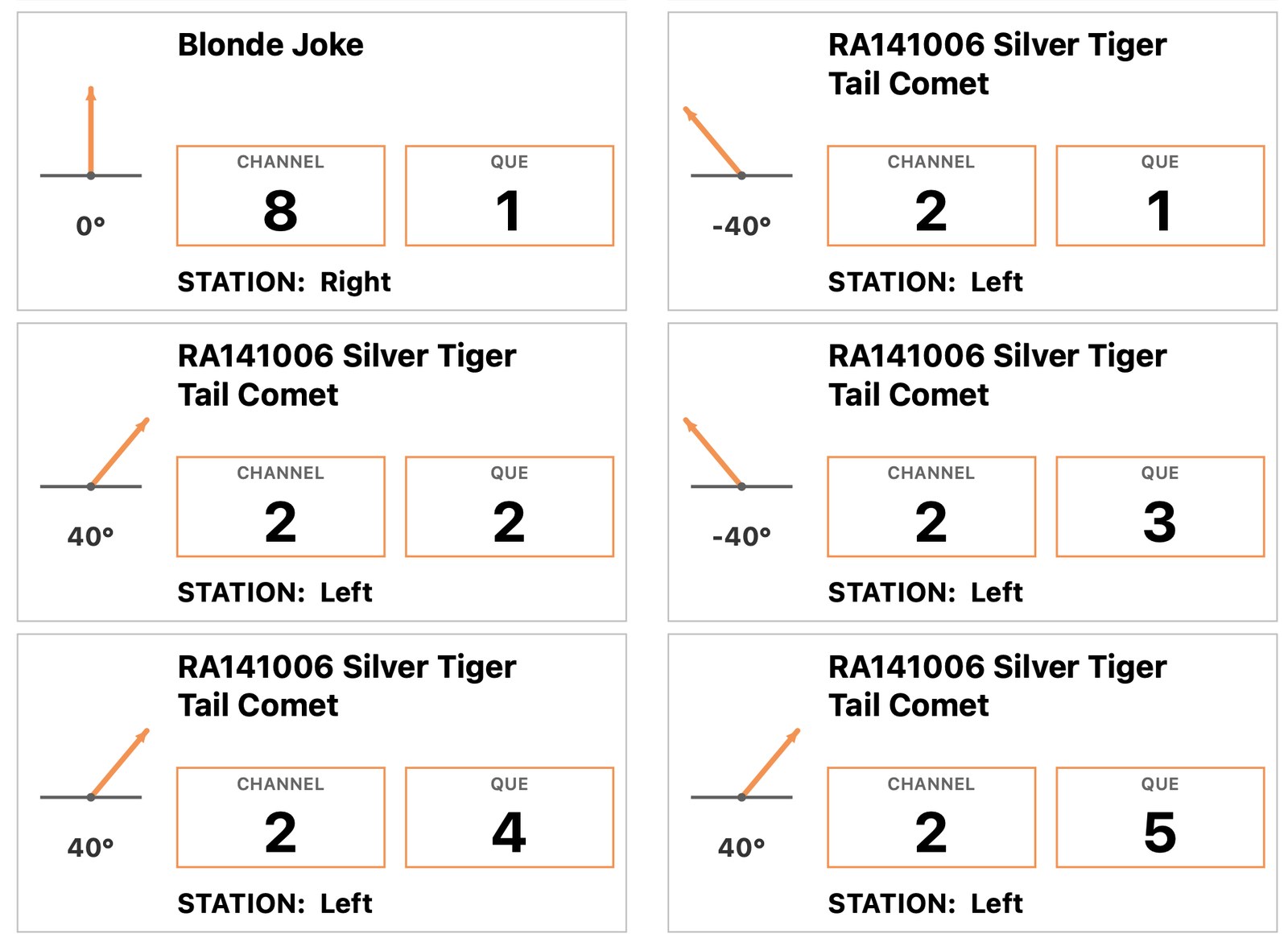
Render any section as real video to review it properly, or export the full show. When it's time to load in, QBurner generates printable stickers for shells and mods — que number, channel, item name — plus a CSV export of your full que list for firing systems and crews who need it in that format.
- Render a section instantly to sanity-check timing
- Printable stickers, ready before your crew arrives
- CSV export for firing-system import
See it in action
A closer look at the workspace, live preview, and the tools built specifically for how a real show gets built.
Load-In Day
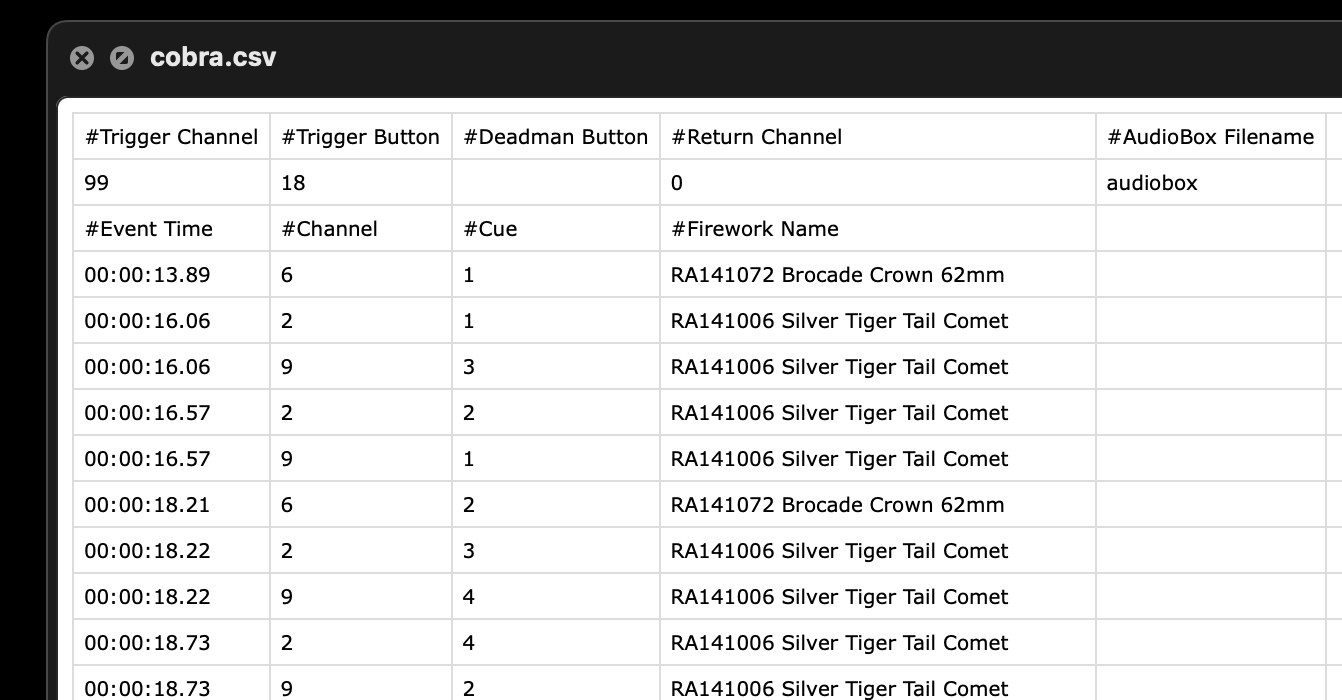
Export a Cobra-ready CSV — already synced to the music.
QBurner exports your full que list as a CSV built to go straight into Cobra: que numbers, channels, and fire times, ready to fire — no manual retiming, no spreadsheet math the night before a show.
The fire times aren't just copied off the timeline, either. Each one is backed up by your igniter delay, plus however long the boom actually takes to reach your audience beyond what the music already travels from the speakers — so what your audience hears stays locked to the beat, not just what fires on schedule at the pad.
Set your audience distance, speaker distance, and igniter delay once in Project Setup. QBurner handles the rest, every time you export.
Ready to build your show?
QBurner runs natively on macOS — built for precision, not just pretty timelines.